YOUR HANDS-FREE MOVEMENT GUIDE
Your routine guide.
01Build my routine
Pick your moves. Set reps, weight and rest your way.
MoveCue walks you through every rep, hold and rest — out loud, hands-free — so you can keep your eyes on the movement, not the screen.
- Home workouts
- Physiotherapy
- Strength & dumbbells
- Yoga & mobility
- Stretching & recovery
Now on iPhone and Android.
Free to use forever. Pro unlocks more when you're ready.
HANDS-FREE
Keep your eyes on the movement, not your phone.
MoveCue says every exercise, set and rest out loud, and your lock screen shows where you are. Put the phone down and move.
YOUR MUSIC STAYS ON
Your music keeps playing.
When MoveCue speaks, your music dips for a second, then comes straight back. Same song, same spot.
EASY TO START
Starting is the hard part. MoveCue makes it one tap.
Your routine is ready. Get a reminder at your time, tap it, and you’re moving.
WHY NOT JUST A TIMER?
A timer counts seconds. MoveCue runs your whole routine.
If you’ve ever juggled a timer app, your notes and your music at the same time, this is the difference.
A plain interval timer
MoveCue
Beeps. That’s all it does.
Tells you the exercise, the set and the rest, out loud.
You keep count of sets, reps and sides yourself.
Knows your whole routine: sets, reps, holds, sides and rests.
Stops your music, and often doesn’t start it again.
Lowers your music for a second, then brings it straight back.
You pick up your phone between every exercise.
Your phone stays down: voice cues, and your lock screen shows where you are.
Sharing a routine means screenshots.
Send any routine as a link or a QR code. It’s theirs to run.
WHAT A ROUTINE LOOKS LIKE
A routine is a sequence with its own timing.
This is Full-Body Strength Starter — 5 exercises, exactly as MoveCue runs it. Every set, rest, and side is scheduled, and the voice calls each one so you never look down. It works the same whether it's a workout or a physio-style home plan.
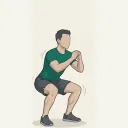
1. Squat 2 × 12 reps
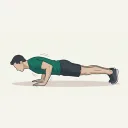
2. Push-Up 2 × 8 reps
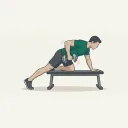
3. Single-Arm Dumbbell Row 2 × 10 reps per side
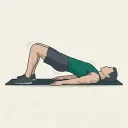
4. Glute Bridge 2 × 12 reps
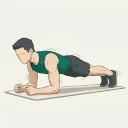
5. Plank 2 × 30s
16:26 total · Dumbbells + Mat · voice-guided end to end
Everything MoveCue does.
Build
Make it yours.
- Starter routines to begin with
- Create your own exercises
- Sets, reps, weight and rest, your way
- Side switching and pauses
- Find exercises by body region and equipment
Ask MoveCue AI
Say it, snap it, run it.
- Speak or type what you want
- Upload a photo of your plan
- It builds and saves the routine, not just advice
- Ready to run in one tap
Send
Share it with anyone.
- Friends, family, patients or clients
- As a link or a QR code
- It’s theirs to keep and run
Run
Hands-free, start to finish.
- Voice cues for every rep, hold and rest
- Your music keeps playing
- Your progress on the lock screen
- Reminders at your time
Track
See how far you’ve come.
- A calendar of every day you moved
- How your pain changes over time
- Records and weight graphs
- A map of the areas you’ve trained
- Your activity as a PDF report
Press start. MoveCue guides the rest.
MoveCue is on the App Store and Google Play.